Talking
Podcast and interview clips that follow the speaker.
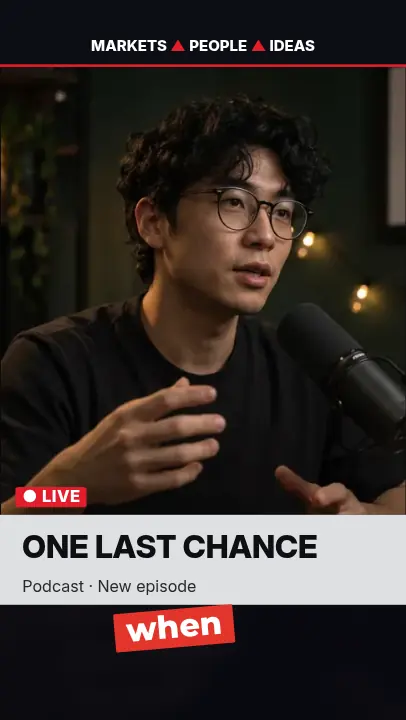
Choose Talking when you create the project. SupaClip transcribes the conversation, finds self-contained moments and frames each clip at 9:16 on the person speaking — one host or a two-person interview — with captions timed to every word. Start from a clean full-bleed look or a magazine-style frame, and fine-tune any clip in Studio.

How the framing works
- The crop follows whoever is speaking, shot by shot.
- Captions are timed to each word and sit inside the frame.
- Optional clean-up cuts ums, stumbles and long pauses — each cut can be undone.
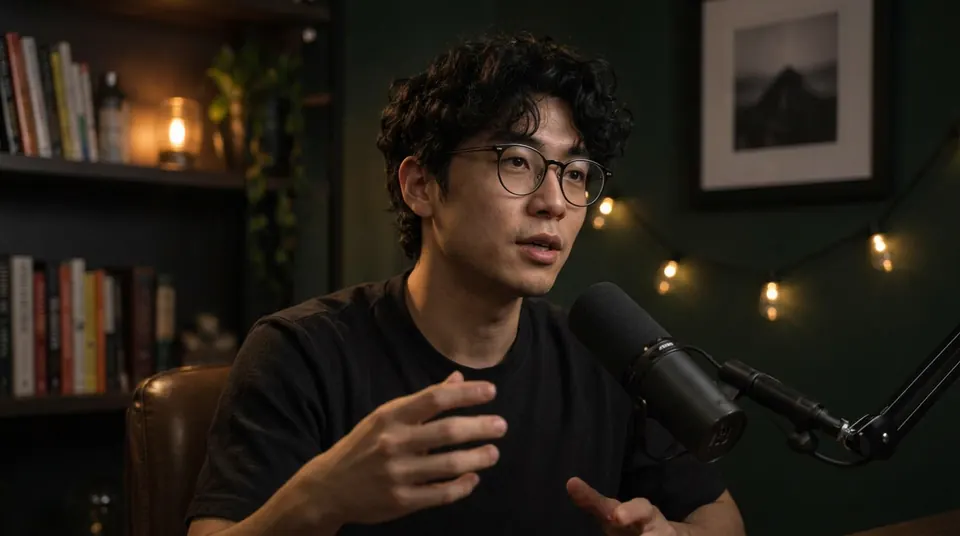

Looks you can start from
Rendered by SupaClip on sample scenes. Switch caption style or frame in Studio at any time.



Works best when
- The audio is clear and one or two people do most of the talking.
- Faces are visible and not too small in the shot.
Limits
- With many people talking over each other, some shots may need a manual crop in Studio.
Questions
Does it handle two people talking?
Yes. Talking mode frames whoever is speaking. If one shot is off, adjust its crop in Studio — the rest of the clip stays as it is.
Can it remove filler words?
Yes. Turn on “Cut ums and stumbles” when you create the project. You can review and undo every cut in Studio.
How long are the clips?
You choose the clip length when you create the project, and can trim any clip further in Studio.
Other video types
Turn your next long video into clips.
Start on the Free plan — 30 AI minutes a month, no watermark, no card needed to try.