Use cases
One tool, three kinds of video.
When you create a project, you choose the video type: Talking (podcasts, interviews, on camera), Lecture & screen (lessons, analysis, webinars, coding) or Stream / Game (gameplay with a facecam, Just Chatting, esports). The type decides how SupaClip frames each clip; captions, templates and Studio work the same for all three.
One tool, three kinds of video.

Talking
Podcast and interview clips that follow the speaker.
Choose Talking when you create the project. SupaClip transcribes the conversation, finds self-contained moments and frames each clip at 9:16 on the person speaking — one host or a two-person interview — with captions timed to every word. Start from a clean full-bleed look or a magazine-style frame, and fine-tune any clip in Studio.
See Podcasts & interviews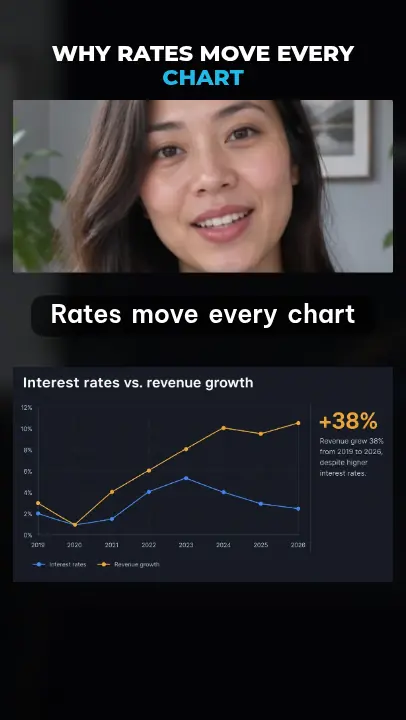
Lecture & screen
Lecture and screen clips where the slide stays readable.
Choose Lecture & screen when you create the project. SupaClip finds the slide or screen area in your video and stacks it with the speaker in a 9:16 frame, so charts, text and code stay readable on a phone. Captions follow each word, and you can adjust any clip in Studio.
See Lectures & screen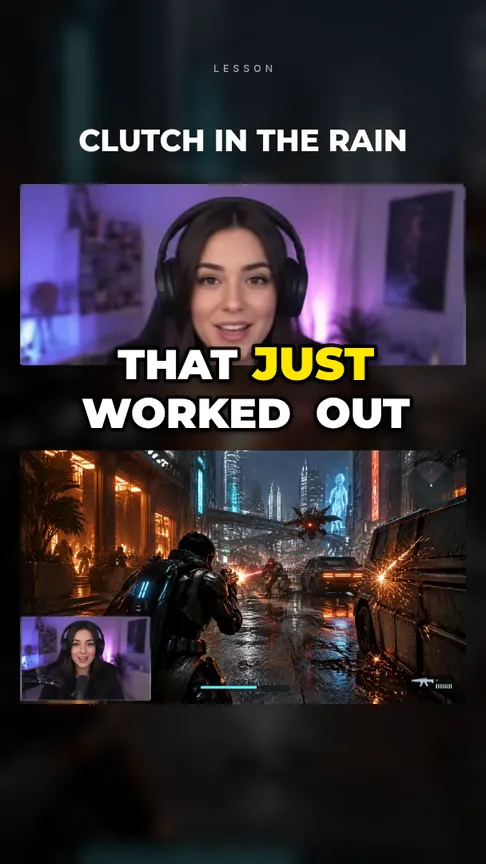
Stream / Game
Stream and gameplay clips with the facecam in frame.
Choose Stream / Game when you create the project. SupaClip finds the streamer's webcam box and places it with the gameplay in a 9:16 frame, so the action and the reaction both stay on screen. It works for gameplay with a facecam, Just Chatting and esports, with captions timed to every word.
See Stream & game
Which type should I pick?
| Video type | Best for | What the framing does |
|---|---|---|
| Talking | Podcasts, interviews, talking-head videos | Keeps the person speaking in a 9:16 frame |
| Lecture & screen | Lessons, analysis, webinars, coding | Finds the screen and stacks it with the speaker |
| Stream / Game | Gameplay with a facecam, Just Chatting, esports | Finds the webcam and places it with the gameplay |
Turn your next long video into clips.
Start on the Free plan — 30 AI minutes a month, no watermark, no card needed to try.