SupaClip Studio
A real editing room for every AI clip.
SupaClip Studio is the editor every clip opens in. It has a timeline with picture, caption and music lanes, a live 9:16 preview, and an inspector for framing, colour, masks and motion. Change anything the AI decided, undo any step, and export when it looks right.
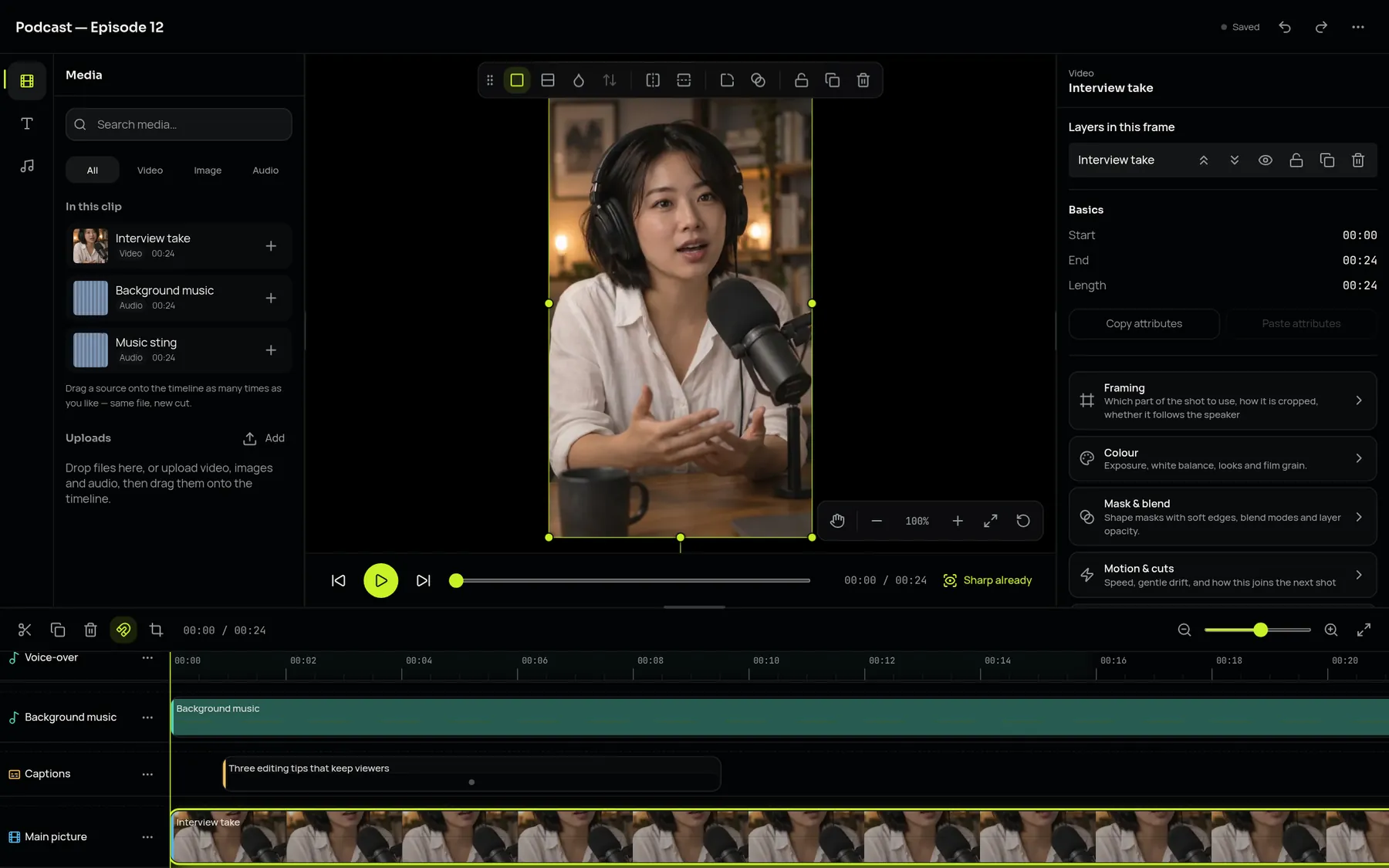
What you can change
Timeline editing
Trim, split, copy and move shots across picture, caption and audio lanes. Zoom the timeline in for frame-level cuts.
Captions you can fix
Correct a word, adjust where a caption starts and ends, or switch to any other caption style.
Frames and framing
Swap the frame template, choose which part of the shot is used, and decide whether the crop follows the speaker.
Colour, masks and motion
Exposure, white balance, looks and film grain; shape masks with soft edges; gentle drift and how each shot joins the next.
Your own media
Upload video, images and audio, then drag them onto the timeline — the same file can be used as many times as you like.
Safe to experiment
Undo and redo every step. Automatic cuts from the clean-up stay visible, so you can bring back anything the AI removed.
Where Studio fits
The AI does the first pass on the whole video. Studio is where you take one clip from good to finished.
- 01AI clips the video
- 02You review
- 03Studio for the details
- 04Export
Studio is included on every plan, including Free. Plans only change AI minutes and export resolution.
Turn your next long video into clips.
Start on the Free plan — 30 AI minutes a month, no watermark, no card needed to try.